Fact-checking
An AI Content Fact Checker That Shows Its Sources
AI writes confident sentences, and some of them are wrong. Write & Grow checks the claims in each article against pages it opened and read, shows you the words that decide each one, and corrects the sentences a source contradicts before anything goes live.
This checks articles written or updated in Write & Grow, on the draft page, before they are published. It is not a box to paste any text into.
How a Fact Check Works
A check reads the finished draft and works claim by claim. It takes a few minutes, and nothing in the article changes until you apply it.
Find the claims worth checking
Numbers, dates, study findings, guidelines, quotes and named sources: up to 30 claims an article, each with its exact wording and the link it cites.
Read the cited source first
If the page the article links already settles the claim, either way, the check stops there for that claim.
Search for the rest
For anything the cited page doesn’t settle, the check searches the web, opens the top results and reads only the passages about that claim.
Give a verdict with evidence
Supported, contradicted, or not found in any page it opened. Each verdict shows the source and the words that decide it.
Correct what is wrong
Sentences a source contradicts are rewritten to match what the source says, citing only pages the check opened.
You decide
Apply the corrections, confirm a claim you know is right, or edit it yourself. Then publish, or wait for a person to mark it reviewed.
What Each Verdict Means
A fact check never guesses. When it can’t tell, it says so.
Supported
A page the check opened says the same thing. The link goes into the article so readers can see it too.
Contradicted
A source says something different. You get a corrected sentence with the source, and you choose whether to use it.
Not found
No page the check opened mentions it. The claim may still be true, so it is flagged for you, not rewritten.
Unchecked
None of the pages for this claim would open. It is shown as unchecked and never counted as false.
Corrections That Don’t Break the Article
What a correction may change
Only the sentences a source contradicts. A corrected article is refused, and nothing is applied, if it would:
- Drop an image or a section
- Shrink the article by more than 15%
- Link a page the check never opened
What stays in your hands
The draft page lists every claim with its verdict and source. From there you can:
- Correct one claim with “Correct it”
- Confirm a claim yourself when you know it’s right
- Confirm every open warning at once, after a second click
- Edit any sentence by hand
Where Fact-Checking Matters Most
Every plan includes fact-checks each month. Spend them where a wrong number costs you most.
Health and nutrition
Study findings and guidelines are checked against the sources the article cites. Pair it with review-first publishing.
Money and prices
Rates, limits and prices change. The check reads current pages, not what the model remembers.
Tech and product news
Specs, release dates and model names are where tech articles slip. A wrong chip name is caught before a reader finds it.
Sport and history
Records, scores and dates are easy to get almost right. Almost right is still wrong.
A Checked Article on a Live Site
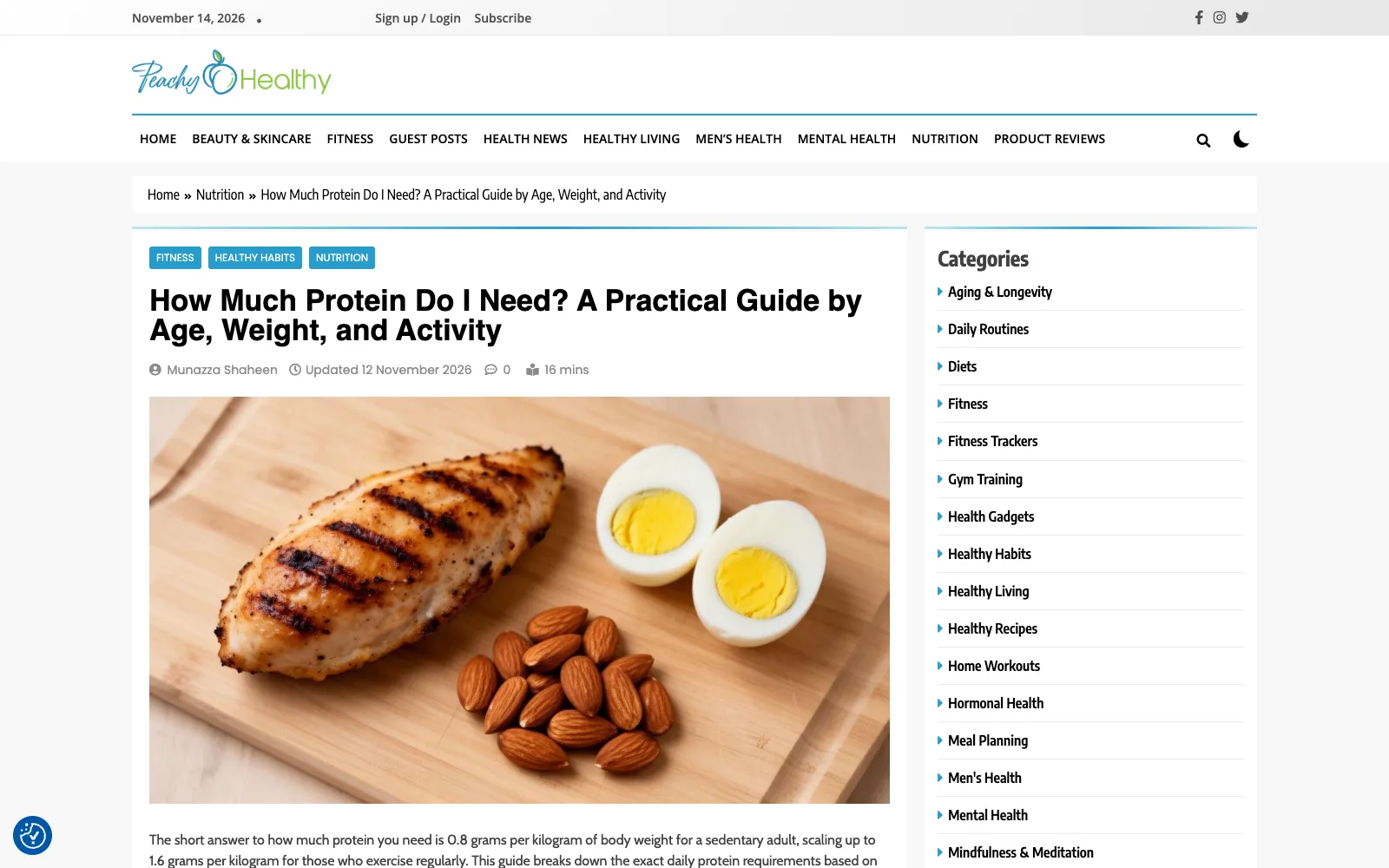
Peachy Healthy, one of our own sites, publishes nutrition guides that are fact-checked and reviewed before they go live.
Fact Checker Questions
No. It checks articles written or updated in Write & Grow, from the draft page, before they are published. That includes rewrites of older posts from your site.
Up to 30 claims an article: the numbers, dates, findings, quotes and named sources a reader could check.
No. You see the report first. Corrections are only applied when you apply them, and only to sentences a source contradicts.
It is flagged as not found, never rewritten. You can confirm it yourself, add a source, or edit it.
From 10 a month on Starter to 300 on Agency Plus, with fact-check packs if a busy month needs more. See pricing.
Free to set up
Start Growing Your Site With Articles You Can Trust.
Connect your WordPress site and add your sources for free, then choose a plan when you’re ready to write.